

Overview
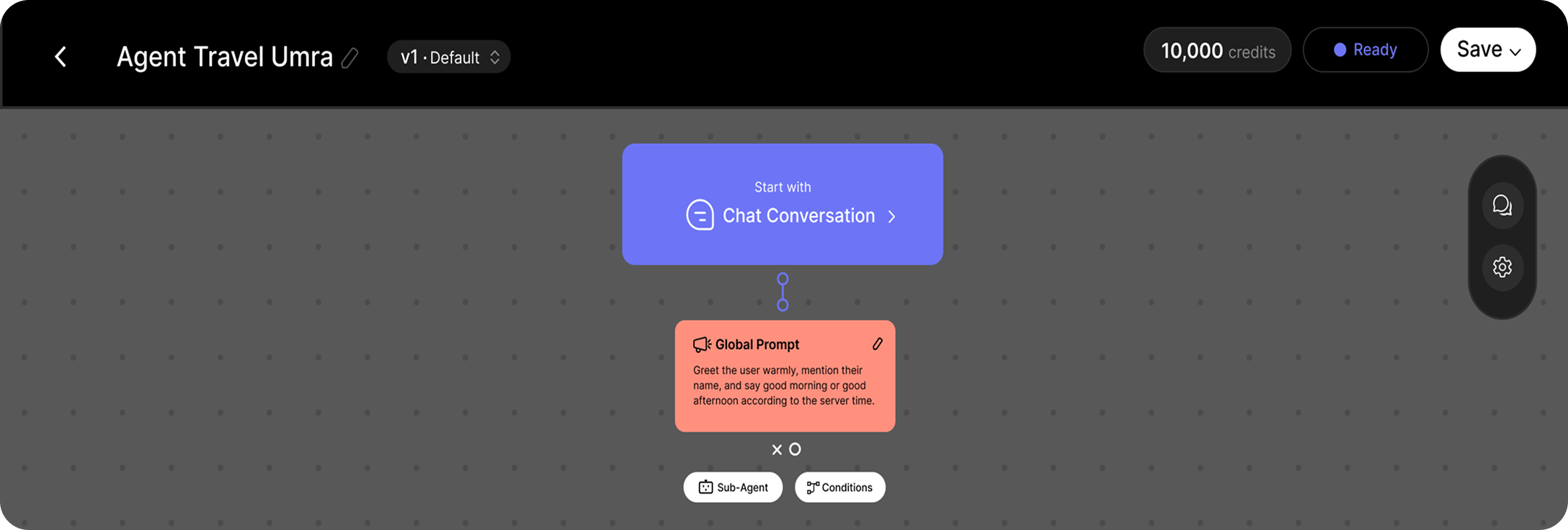
- Needs Exploration
- Product Information
- Price Inquiry
- Booking Assistant
- Employee Support
- Reimbursement
- Technical Support
- Human Handover
Why Use Sub-Agents?
Using Sub-Agents offers several advantages:- Organize complex workflows into smaller, specialized components.
- Improve response accuracy by assigning conversations to the most appropriate agent.
- Reduce prompt complexity by separating responsibilities.
- Simplify maintenance and future updates.
- Build scalable AI workflows that are easier to extend over time.
Configuring a Sub-Agent
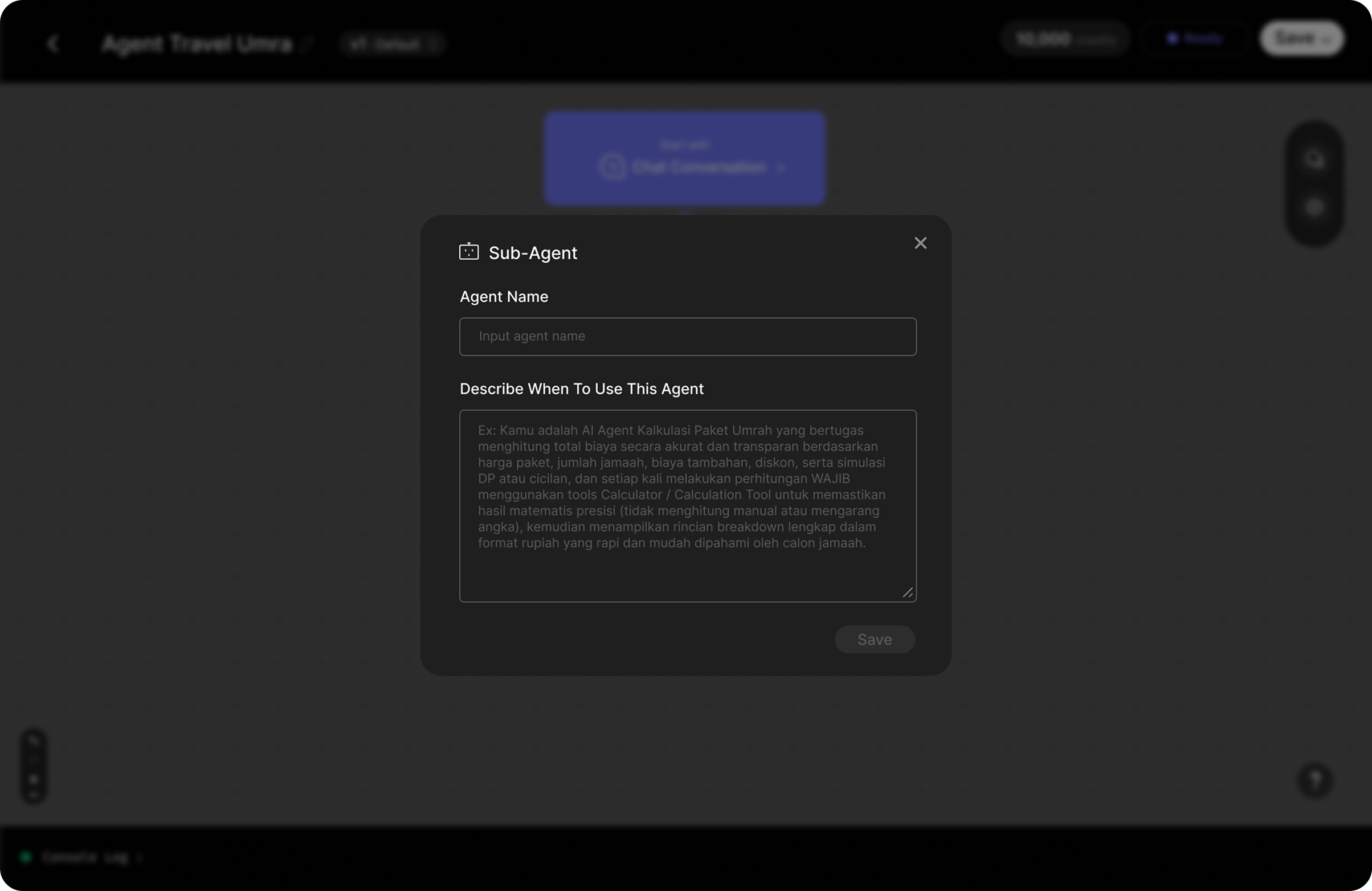
- Agent Name
- Describe When to Use This Agent
Agent Name
Purpose
The Agent Name is the unique name of the Sub-Agent. It helps you identify the Sub-Agent within your project and makes your workflow easier to organize and maintain. The name should clearly reflect the responsibility of the Sub-Agent.Requirements
- Maximum 50 characters
- Must be unique within the project
- Use a concise and descriptive name
Good Examples
- Needs Exploration
- Booking Assistant
- Product Information
- Employee Support
- Reimbursement Agent
- Technical Support
- Human Handover
- FAQ
Avoid
- Agent 1
- Test
- New Agent
- My Agent
- Untitled
Describe When to Use This Agent
Purpose
This field tells the AI when this Sub-Agent should be selected during a conversation. Rather than defining how the Sub-Agent responds, this field describes the types of conversations that belong to the Sub-Agent. Think of it as the routing guide that helps the AI decide: “Is this the right Sub-Agent for the current conversation?” A well-written description significantly improves routing accuracy.What Should Be Included?
Describe the characteristics of conversations that this Sub-Agent is designed to handle. You can include:- User intent
- Conversation goals
- Common scenarios
- Types of requests
- Keywords or phrases
- User sentiment, when relevant
Example
Needs Exploration
When to use this agent Use this Sub-Agent when the user is describing their situation or explaining what they need, and additional information is required before providing recommendations or taking action. Typical situations include:- The user is explaining a problem.
- The user is seeking recommendations.
- The user’s request is still unclear.
- The AI needs to gather more information before continuing.
- need
- problem
- issue
- consultation
- recommendation
- looking for
- help
- not sure
Booking Assistant
When to use this agent Use this Sub-Agent when the user wants to schedule, modify, or cancel an appointment. Typical situations include:- Booking a new appointment
- Checking available schedules
- Rescheduling an appointment
- Canceling an appointment
- booking
- appointment
- available
- schedule
- tomorrow
- next week
- reschedule
- cancel
Human Handover
When to use this agent Use this Sub-Agent when the conversation should be transferred to a human representative. Typical situations include:- The user requests a human agent.
- The AI cannot resolve the issue.
- The request requires manual handling.
- The user submits a complaint.
- human
- customer service
- representative
- operator
- admin
- complaint
Best Practices
- Assign each Sub-Agent a single, well-defined responsibility.
- Choose a clear and descriptive name that reflects the Sub-Agent’s purpose.
- Describe when the Sub-Agent should be used, rather than how it should respond.
- Include common user intents and conversation patterns.
- Add keywords that users are likely to use naturally.
- Keep descriptions focused and easy to understand.
Common Mistakes
The Describe When to Use This Agent field should not contain operational instructions or response prompts. Avoid writing:- AI personality
- Response formatting
- Tone of voice
- Workflow instructions
- Tool usage
- Business rules
- Knowledge retrieval logic
Summary
This separation of responsibilities helps ensure that conversations are routed accurately while keeping each Sub-Agent focused, maintainable, and easy to expand as your AI workflow evolves.