

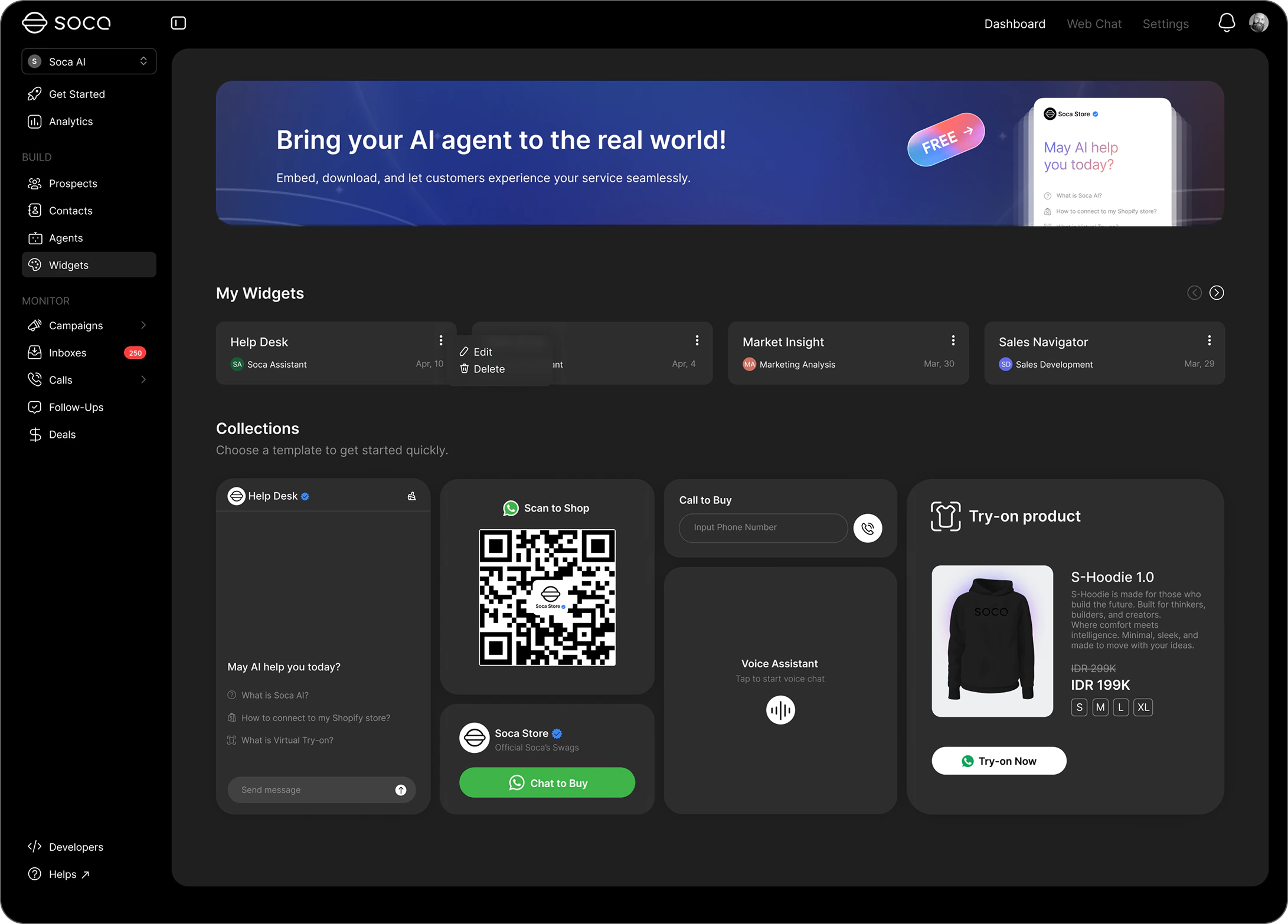
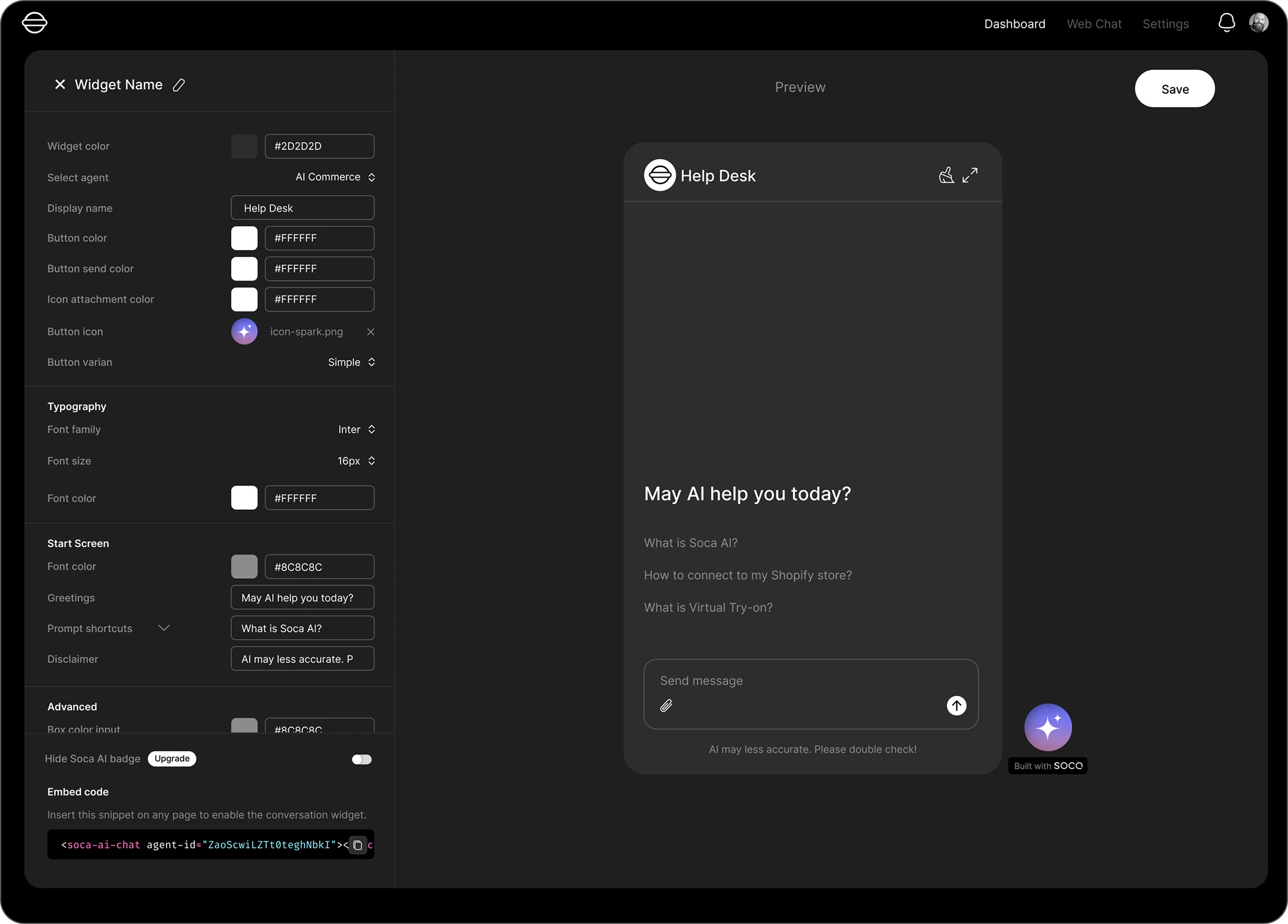
- Connected to Your AI Agent: Select the AI agent you’ve configured on Soca and link it directly to the chat widget on your website.
- Fully Customizable Appearance: Adjust colors, icons, display name, font, and greeting messages so the widget feels seamlessly integrated with your website’s visual identity.
- Informative Start Screen: Add prompt shortcuts and a disclaimer to guide visitors in starting conversations more effectively.
- Direct Redirect to WABA: Select your connected WhatsApp Business number on Soca and turn it into a button on your website.
- Customizable Appearance: Adjust the widget’s color and icon to stay consistent with your website’s theme.
- Connected to Your AI Agent: Choose the AI agent that will handle voice-based conversations directly from your website.
- Voice-Based Interaction: No typing required — visitors simply speak and the AI agent responds with voice in real-time.
- Customizable Appearance: Set the widget’s icon and color to match your website’s look and feel.
- Boost Website Visitor Engagement: With a widget active directly on your web page, visitors don’t need to search for contact information or switch to another platform to get help. This reduces bounce rates and increases the likelihood of conversion.
- One Platform, Multiple Communication Channels: Manage your Chat, WhatsApp, and Voice Stream widgets all from a single dashboard on Soca — efficient and easy to monitor without juggling multiple tools.
- Consistent and Professional Experience: With full customization options — from colors and icons to greeting messages — your widget will blend seamlessly with your website’s branding and leave a professional impression on every visitor.